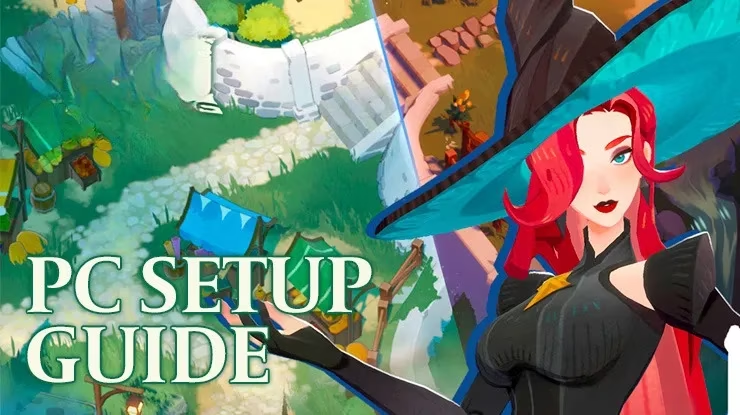
Let me confess something up front: in 2026, my phone screen has developed a personal grudge against my thumb, and my thumb has filed a formal complaint. That is why I moved my AFK Journey adventures to PC with BlueStacks, and I have zero regrets. AFK Journey is an ethereal fantasy RPG set in Esperia, a land that looks like a fantasy picture book sneezed glitter in the best possible way. A dark shroud called the Miasma is threatening everything, and naturally it is up to me and my steadfast companions to banish it. The tale begins with my allies waiting for me at the local tavern, ready to set off on an epic quest. I show up mostly for the quest, partly for the tavern snacks, and entirely because my phone battery is not invited.
Why I stopped squinting at a tiny screen
I am a simple player. I see vibrant 3D graphics, I want them on a bigger screen. I see real-time battles, I want smoother controls. I see a portrait-mode mobile game, I immediately wonder what it would look like in landscape mode. BlueStacks answers all three wishes like a genie who actually read the manual. The 60 FPS gameplay is a noticeable upgrade, and keyboard and mouse controls feel far less sticky than tapping away on glass. My thumbprints remain on my phone, but at least they are not smudging the battlefield.
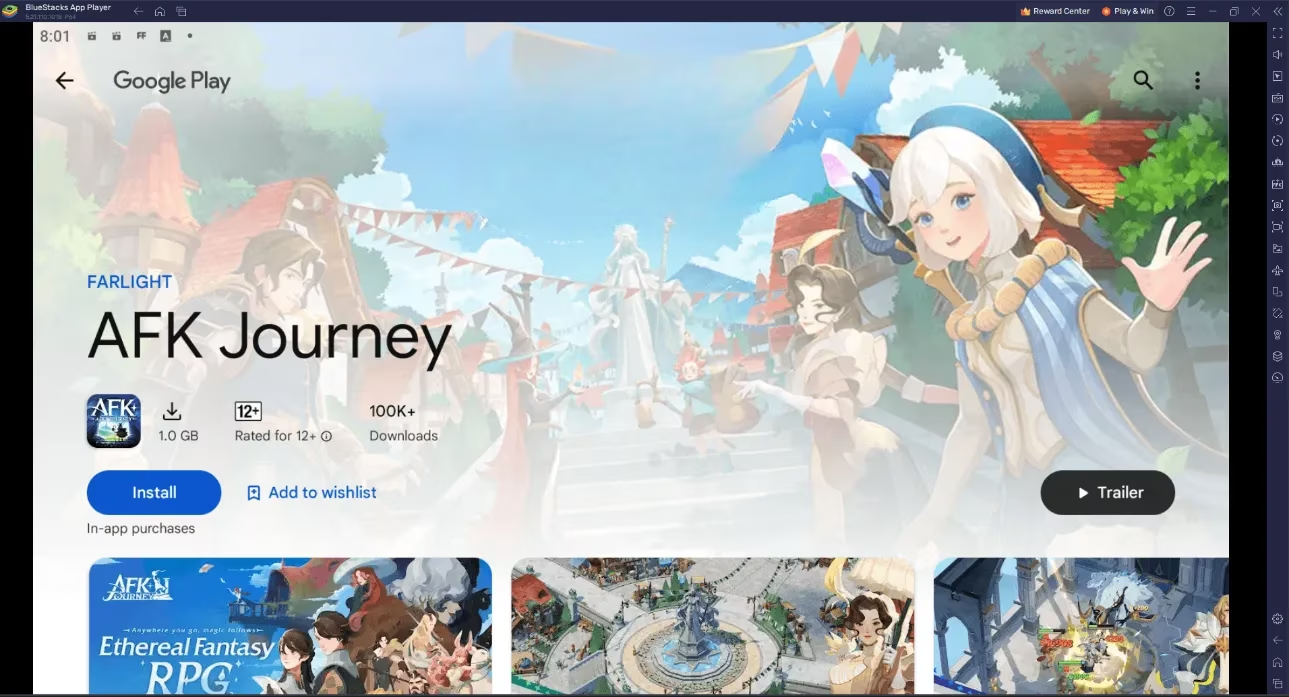
Installing the game was refreshingly boring, which is exactly how I like my technical setup. I launched BlueStacks, searched for AFK Journey on the home screen search bar, clicked the relevant result, installed the game, and started playing. No dramatic montage. No sacrifice to the gaming gods. Just a search bar doing its job.
My gamepad experiment, or: how I learned to stop tapping and love the sticks
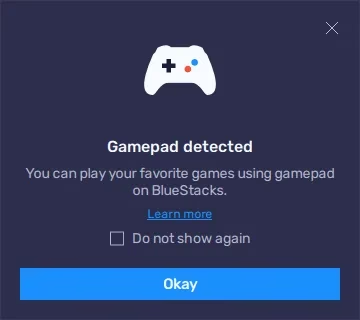
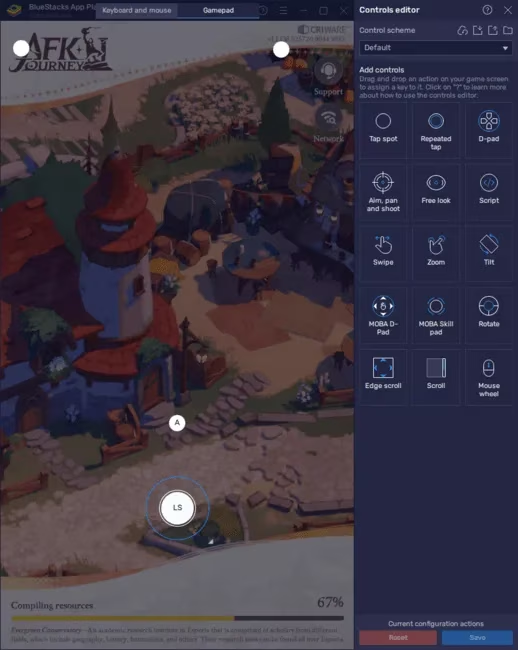
Keyboard and mouse are already a big step up from tapping on a screen, but some games simply feel more fun with a gamepad. AFK Journey is one of those games for me. BlueStacks has a Keymapping Tool that lets me set up gamepad controls for any game, and yes, I approached it with the confidence of someone who has definitely not broken a controller before. The setup is straightforward. I connected my gamepad to my PC with a USB cable or through Bluetooth, and BlueStacks let me know it was connected. Then I pressed Ctrl + Shift + A to open the controls editor, clicked the Gamepad button, and started assigning buttons.
The process is basically the same as setting up keyboard and mouse controls. I clicked on the action I wanted to change, then pressed the gamepad button I wanted to use for that action. For movement, I found a gear icon near the movement controls. Clicking that let me choose whether I wanted to move with the left stick, the right stick, or the d-pad. I picked my favorite, saved the setup, and immediately felt like a tactical genius. Whether I actually was one is a separate question.
Here is my highly scientific comparison table:
| Control style | My experience | Verdict |
|---|---|---|
| Phone touchscreen | Convenient, but my thumb becomes the main character | Fine for short sessions |
| Keyboard and mouse | Precise and comfortable on a big screen | Great default |
| Gamepad | Cozy, familiar, and fun for longer battles | My favorite for AFK Journey |
| Landscape mode | Wider view, more epic battles | Absolutely yes |
Landscape mode changed my whole view, literally
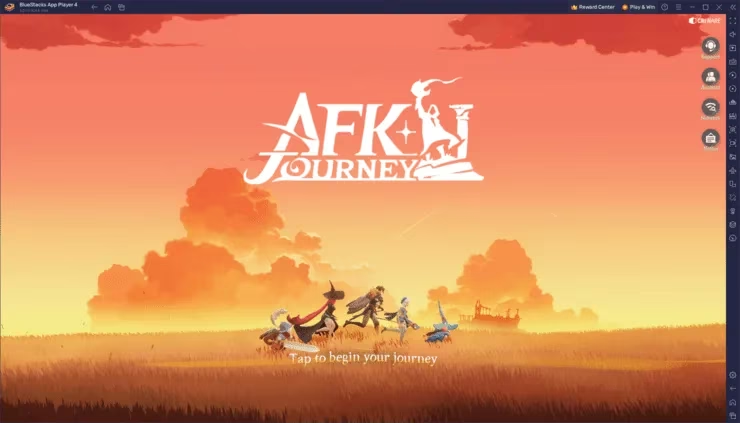
This is the part where BlueStacks really spoils me. AFK Journey is designed to run in Portrait Mode on mobile devices by default, but on BlueStacks I can switch to Landscape Mode. That wider view makes every spell cast and battle feel more epic, and it is easier to manage my characters and strategize when I can actually see more of Esperia. The steps are simple. I started BlueStacks and opened AFK Journey, looked for the Rotate icon on the Side toolbar, clicked it, selected Landscape mode, confirmed with Save and restart, and waited for the game to restart with the new orientation. And just like that, my adventure had a fresh perspective.
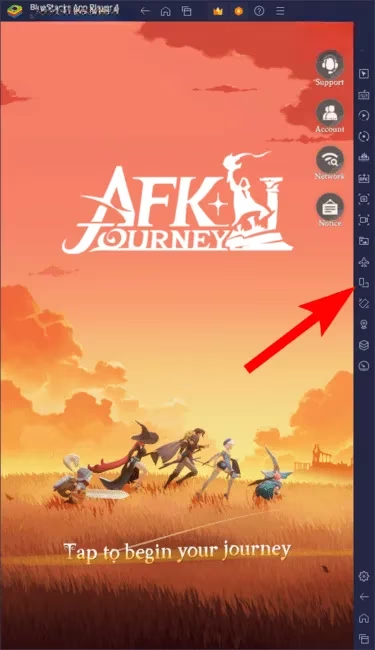
Whenever I want to switch back to Portrait Mode, I follow the same steps and choose Portrait instead of Landscape at step three. It is a small feature with a big impact, especially if you like a broader view of the game environment. I use it for battles, exploration, and dramatically staring at my heroes as if I am in a fantasy movie trailer.
Final tavern thoughts
In 2026, playing AFK Journey on PC with BlueStacks gives me the graphics upgrade, the 60 FPS gameplay, and the control flexibility I want. I can play with a mouse and keyboard, set up a gamepad through the Keymapping Tool, and rotate into Landscape Mode for a wider view. My phone can finally rest. My thumb can finally heal. And my companions in Esperia can finally stop wondering why I keep showing up to the tavern with a controller. Happy gaming, indeed. 🎮✨",
"content_note": "JSON includes content as requested